
Central Park
Explore Bow Bridge and the Lake in New York’s Central Park. Make a lakeside AI travel portrait or a wide park landscape.
Bow Bridge, Central Park, Manhattan
Make a travel photo
Photo Type
Checking local weather…
A photo walk around the Lake
Start at Bethesda Terrace, continue around the south side of the Lake to Bow Bridge, then cross into the Ramble for a wider view from The Point. The first two stops offer different backgrounds within the same part of the park.
Presets apply the photo mode and frame shape to this page’s generator. For a different shooting location, choose a pin on the map.
Bethesda Terrace
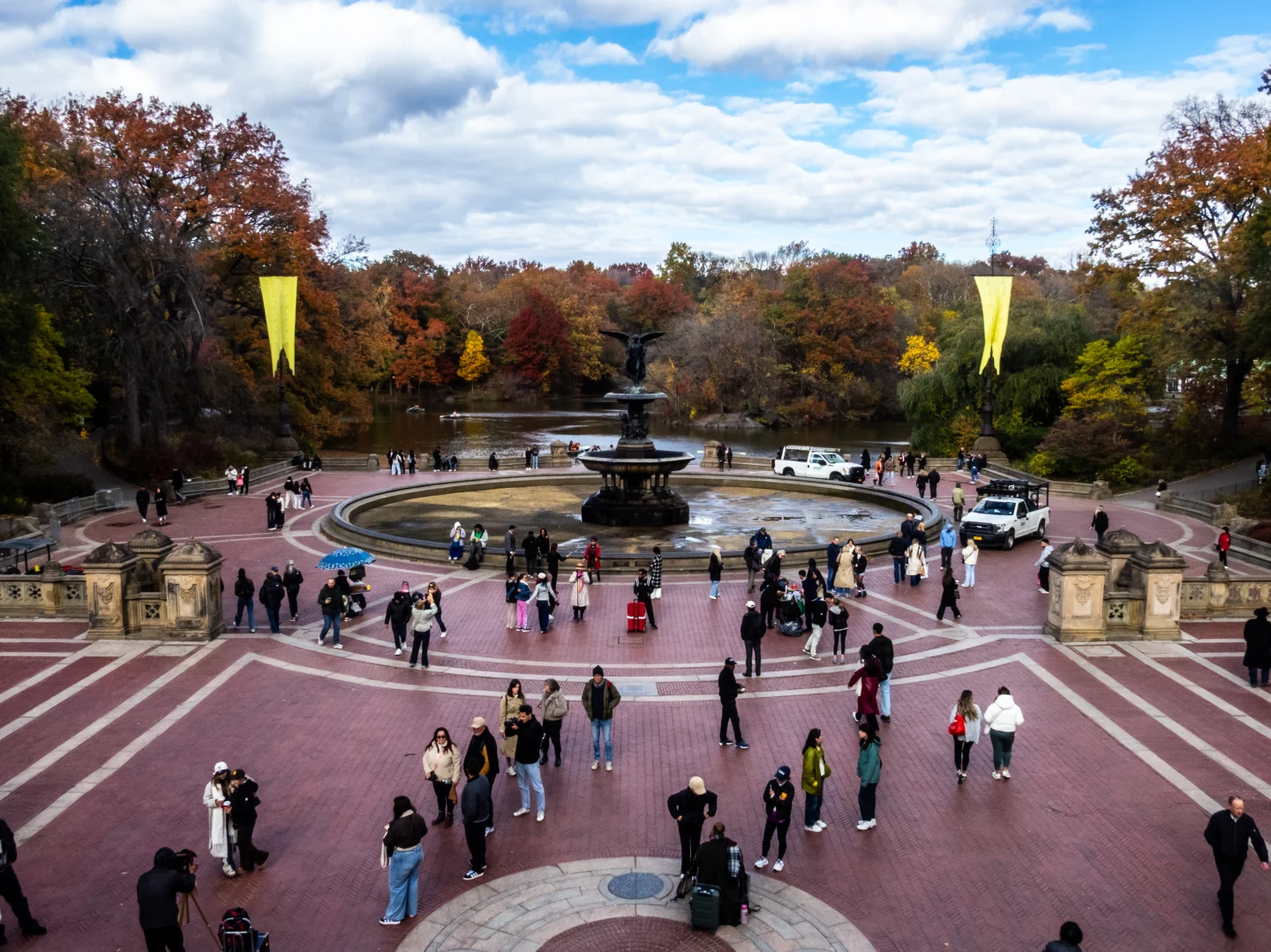
At the top of the terrace stairs, look toward the fountain and the Lake for the view in the archive photo. For a portrait, use the side of the stairs or the arcade and look for soft light near an opening.
Bow Bridge
From the lakeshore near Cherry Hill, leave enough space for both ends of the low arch and the water below it. Trees at the sides add depth, especially when the water is calm.
The Point, the Ramble
Follow the Ramble paths to this rocky peninsula. Use the shoreline at the edge of the frame and aim across the Lake toward Bethesda Terrace or Bow Bridge.
Central Park FAQ
How can I check Central Park’s fall colors before visiting?
The Central Park Conservancy’s fall foliage tracker reports color by area. Trees around the Lake can change at different times, so match the tracker to the area you plan to visit.
Where were the archive photo and the generator view set?
The archive photo was taken at Bethesda Terrace looking toward the fountain. The generator is set near Bow Bridge on the same Lake. Use the location links to compare the two viewpoints.
Can I visit Bethesda Terrace and Bow Bridge on one walk?
Yes. From the fountain, follow the path west along the south side of the Lake toward Cherry Hill and Bow Bridge. Cross the bridge to continue into the Ramble. The park map shows the paths around the Lake.
How recent is the photo?
The archive image was taken on November 7, 2025. The generator creates a new photo using the selected location, current local time and weather.