Teleport MeTeleport Me
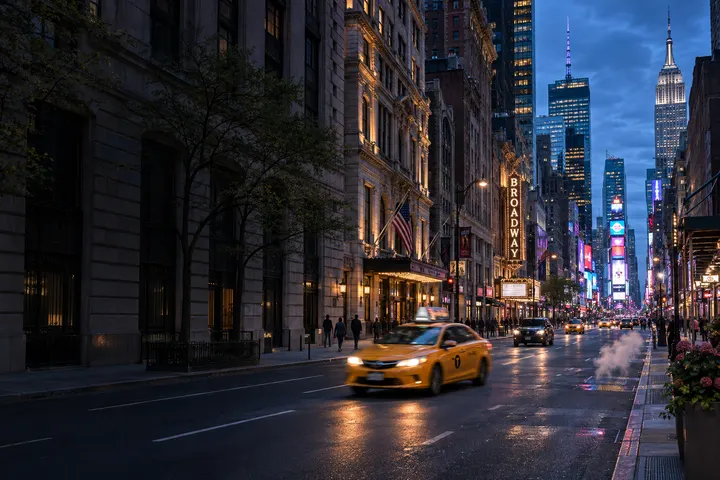
A yellow taxi on a Midtown Manhattan street at blue hour

New York

Put yourself in a New York travel photo, or make a cityscape using New York’s local time and weather.

New York local timeChecking local weather…
See the two-stop New York route

Make a New York City travel photo

Photo Type

Checking local weather…

Choose a place on the map

Bryant Park to Times Square

Start behind the New York Public Library and follow West 42nd Street to Times Square. Look for photo ideas along the park paths and under the Broadway billboards.

  1. Stop 1

    Bryant Park

    The lawn, shaded paths, and little tables make a good starting point for a wide cityscape. Use the park camera to see where the light falls.

    How can I watch snow in New York from home?

    Check the park camera for snow on the lawn and around the trees. To make a winter cityscape, try Scenery Only with a wide frame for the lawn and paths.

    Take a photo in Bryant Park
    Open camera source
  2. Stop 2

    Times Square

    For a street portrait, look at how the Broadway billboards stack above the crossings. After dark, look for colored light and reflections on wet pavement. The Times Square generator sets the photo at this specific spot.

    Take a photo in Times Square

    Your photo uses the location, local time, and weather. Use the live view for inspiration.

    Open camera source

More places to photograph in New York

Empire State Building

Make a travel photo

Photo Type

Generate from the mountain’s current local time and weather.

No recent scene photo is available right now. Reload to check again.

Checking local weather…

Choose a place on the map

New York virtual travel FAQ

Can I explore New York from home?

Yes. Start at Bryant Park and continue along West 42nd Street to Times Square. On Teleport Me, each stop has a live camera you can open on this page. After exploring, you can make a New York travel photo with the generator at the top.

Is the New York travel photo a screenshot from a live camera?

The live cameras show footage of Bryant Park and Times Square. The photo generator creates a new AI image using New York’s local time and weather. The people, cars, and billboards in your photo can differ from what you see on the live camera.

Can I make a New York travel photo without uploading a picture?

Yes. Choose “Scenery Only” to make a New York cityscape without uploading a photo. Choose “Travel Portrait” and add a reference photo if you want to appear in the scene.